Getting educators the right materials for each student, in seconds
Year
2025
Timeline
4 months
Industry
Edtech
Company
Everyday Speech
Team
1 Product Designer, 1 Product Manager, 2 Engineers
Tools
 Figma
Figma Datadog
 Dovetail
Summary
Everyday Speech is a teaching platform for educators and speech-language pathologists. All Materials is its main library, where educators find materials for their students. I led the redesign end to end, from research to the accessible building blocks it runs on. It was the platform's most frustrating page, and it sent educators to our Customer Support team to ask for materials we already had.
Impact
The results held up across a full school year
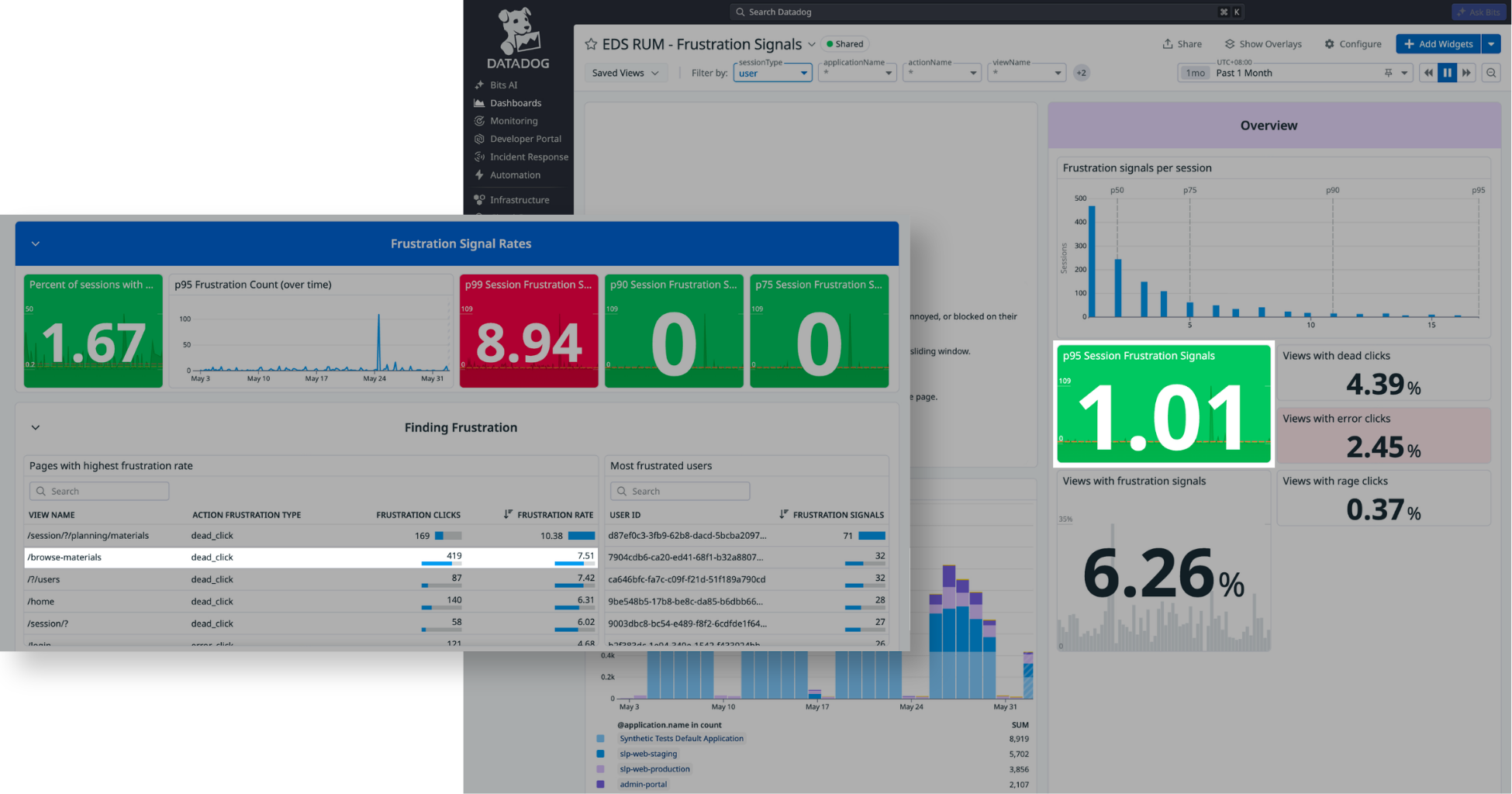
Browse All dead clicks
17.4% → 7.51%
Clicks that got no response, measured in Datadog a year after launch.
Platform frustration score
4.01 → 1.01
Datadog score for the most frustrated 5% of sessions, a year later.
Accessibility
Not accessible → WCAG AA
Rebuilt with accessible components
The Problem
Educators kept asking us for materials we already had
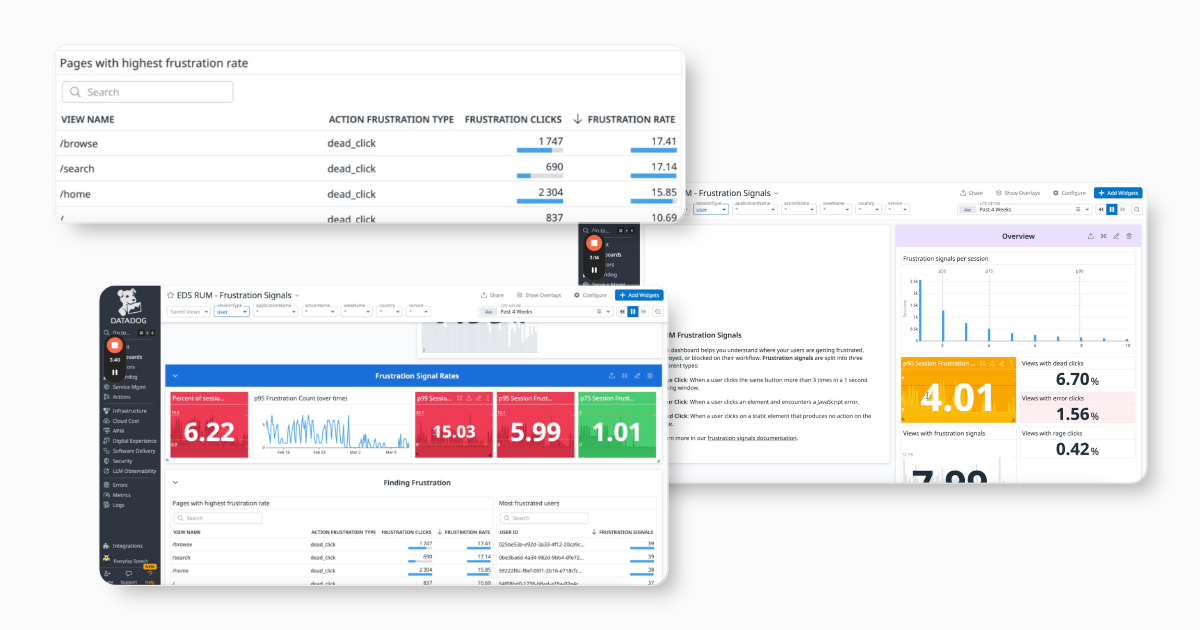
Beyond an 8-second load time, I found three problems driving frustration on this page.
Educators can't find materials
Support sent links by hand for materials the library already had. The filters couldn't separate small-group from whole-class materials.
Cards hide what educators need to know
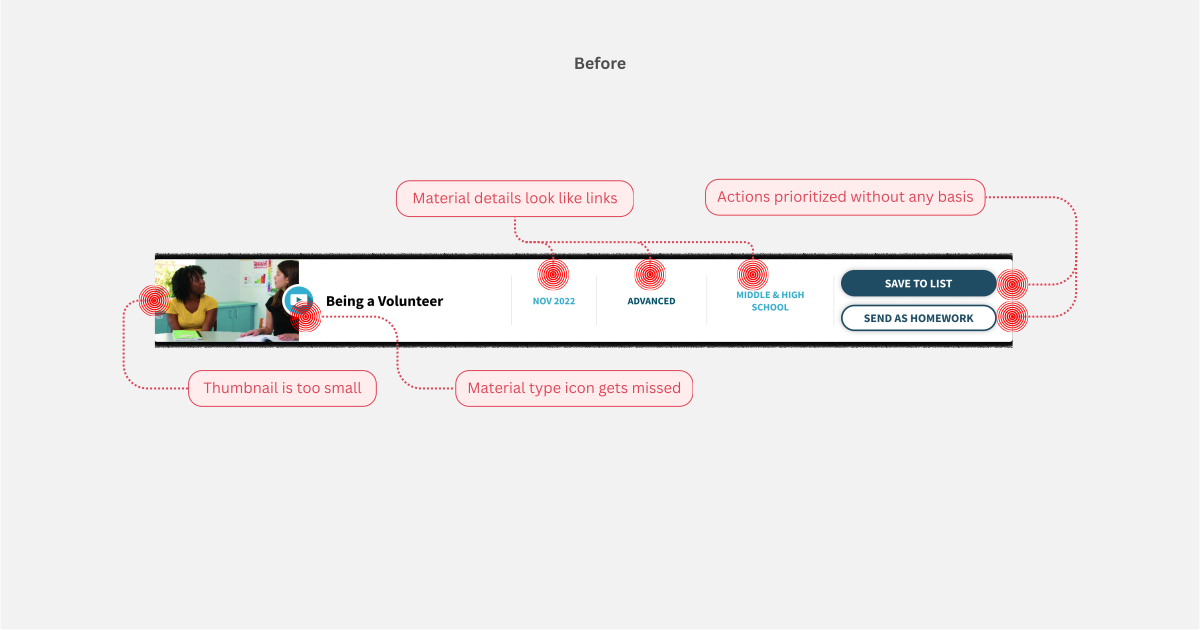
Every card looked the same, with no skill or material type labels. Educators had to open each one to see if it fit their student.
Educators clicked on things that did nothing
Some text looked like links but wasn't, so educators clicked and nothing happened. Datadog flagged 17.4% dead clicks on this page.

Context
The only page left inaccessible and off-brand needed a full rebuild
When we started, Datadog ranked this page the most frustrating on the platform. It was also the oldest page, untouched for more than 2 years. Fixing navigation alone would still leave it failing our accessibility goal and new branding, so I decided to do a full rebuild.
Design Principles
What every design decision had to pass
Decide at a glance, without clicking
Educators should see whether a material fits their student before opening it.
Familiar enough to skip the tutorial
Many educators aren't tech savvy to adapt to big changes, so the design must borrow familiar patterns from platforms they use every day.
Every second of prep time counts
Educators prepare between sessions, so navigation and hierarchy have to help them choose faster.
Key Decisions
Educators can now filter by curriculum for the first time
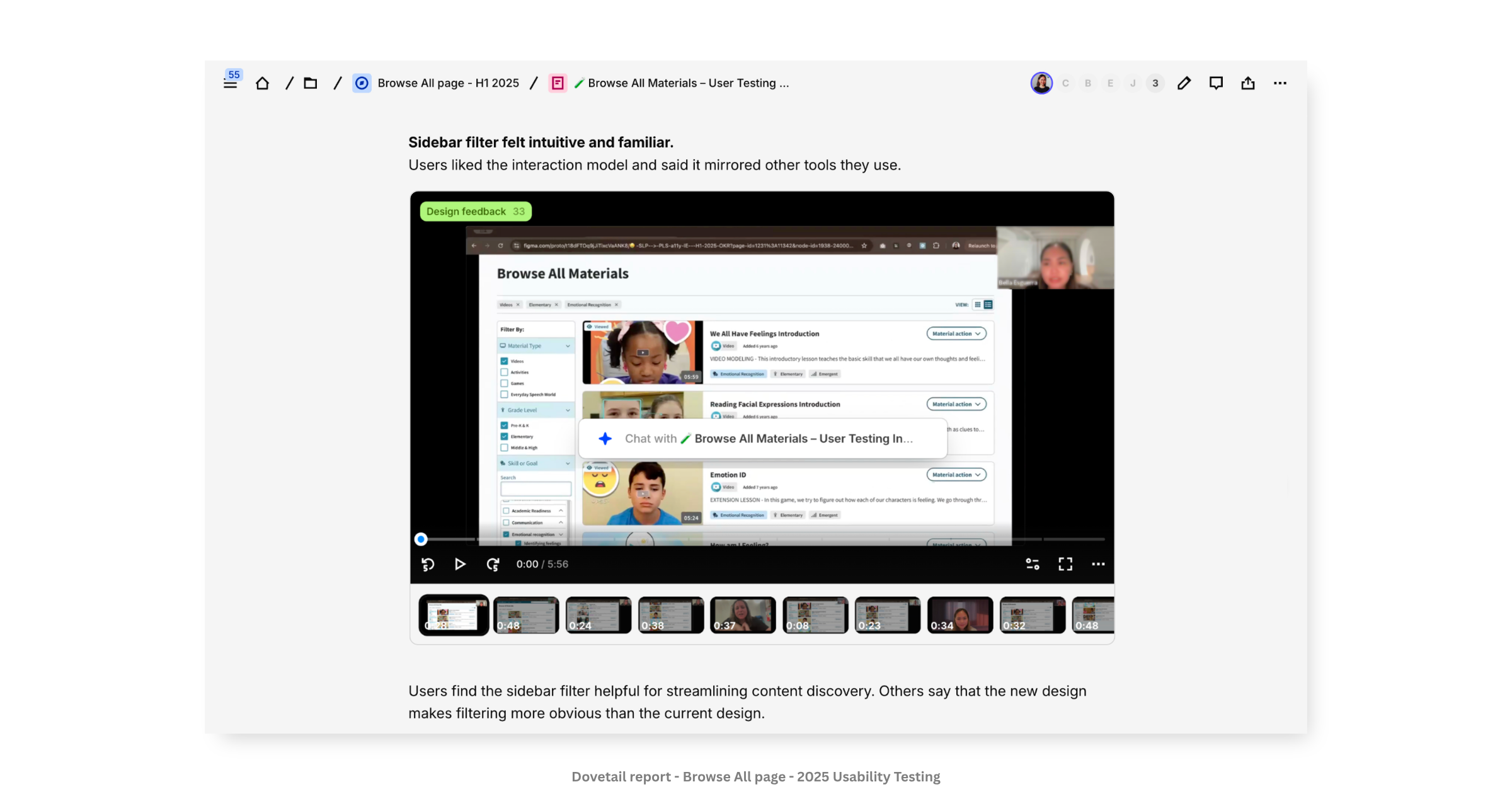
The old filters couldn't tell small-group materials from whole-class ones, so educators turned to support. I split filtering into two layers: curriculum and skills in the left sidebar, material details across the top. In testing, educators said it felt familiar, like other tools they use.
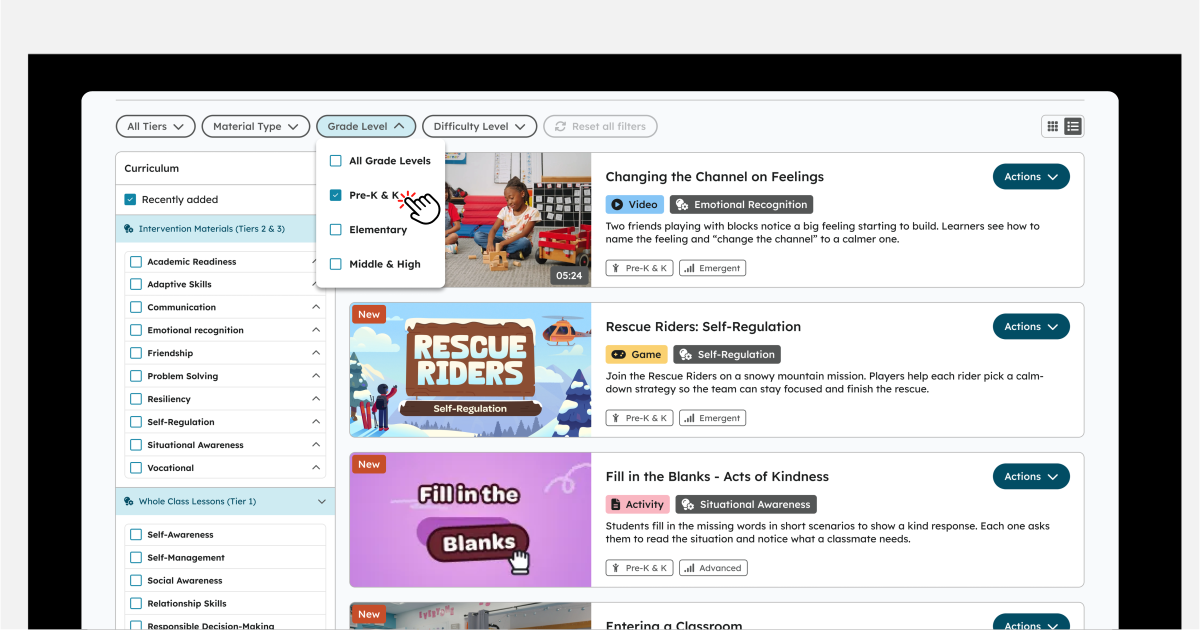
Each card now shows what educators need at a glance
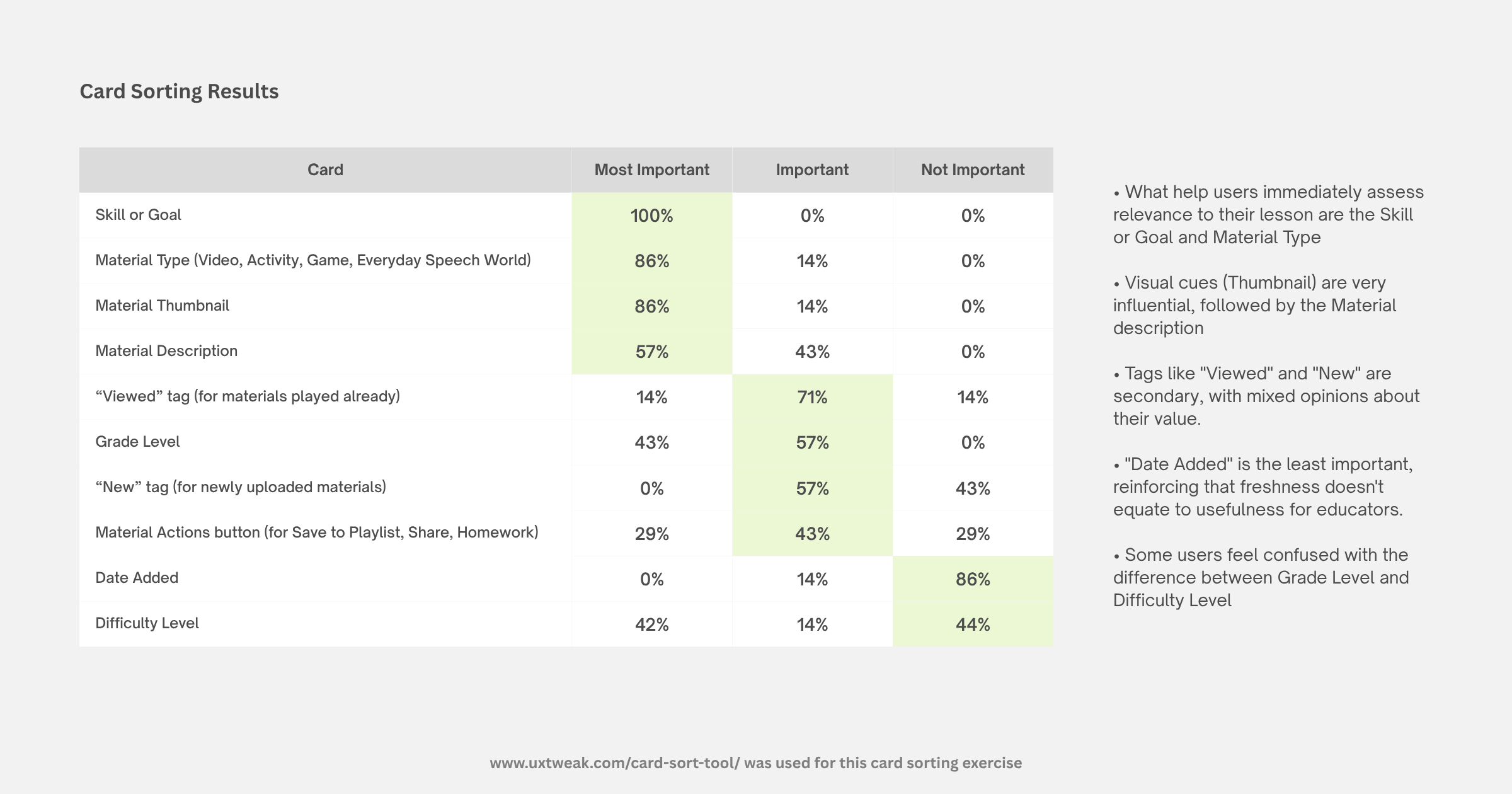
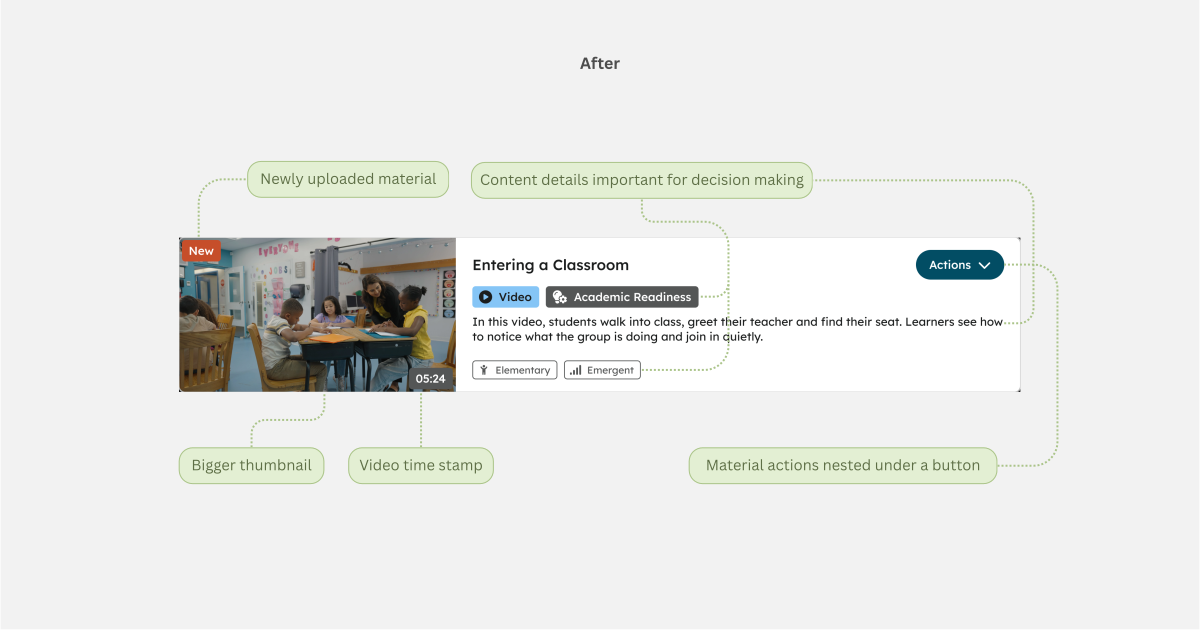
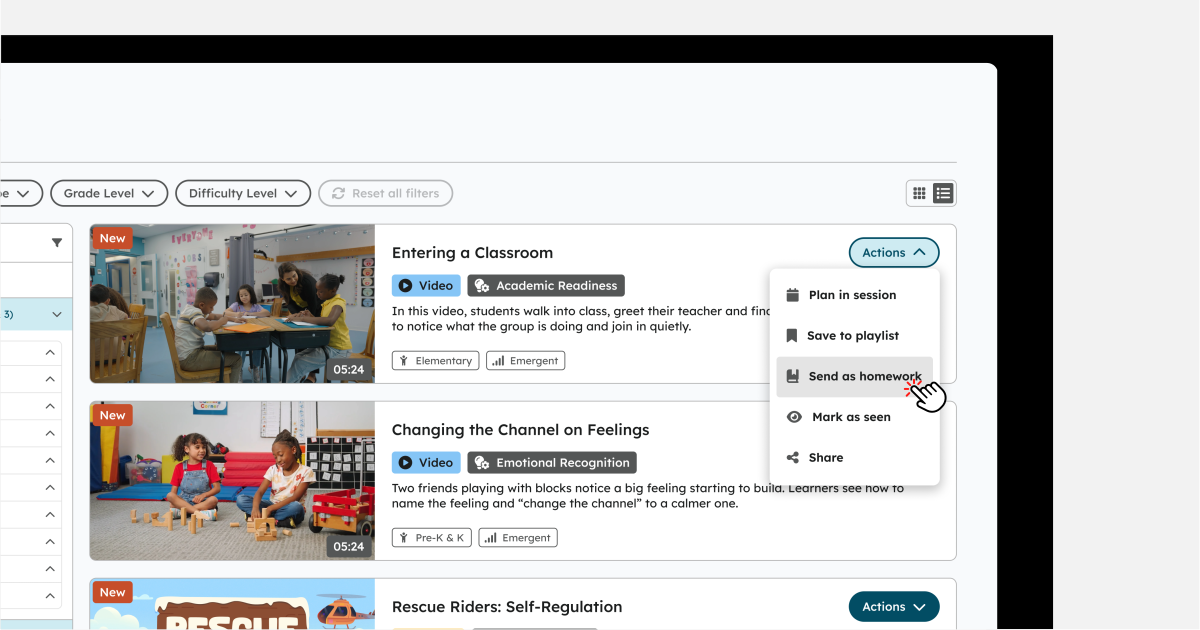
The old cards hid the skill and material type, so educators opened one after another. I ran a card sort with 7 educators, and all 7 ranked the skill or goal as most important. The new cards show skill, material type, grade, difficulty, and a bigger thumbnail.
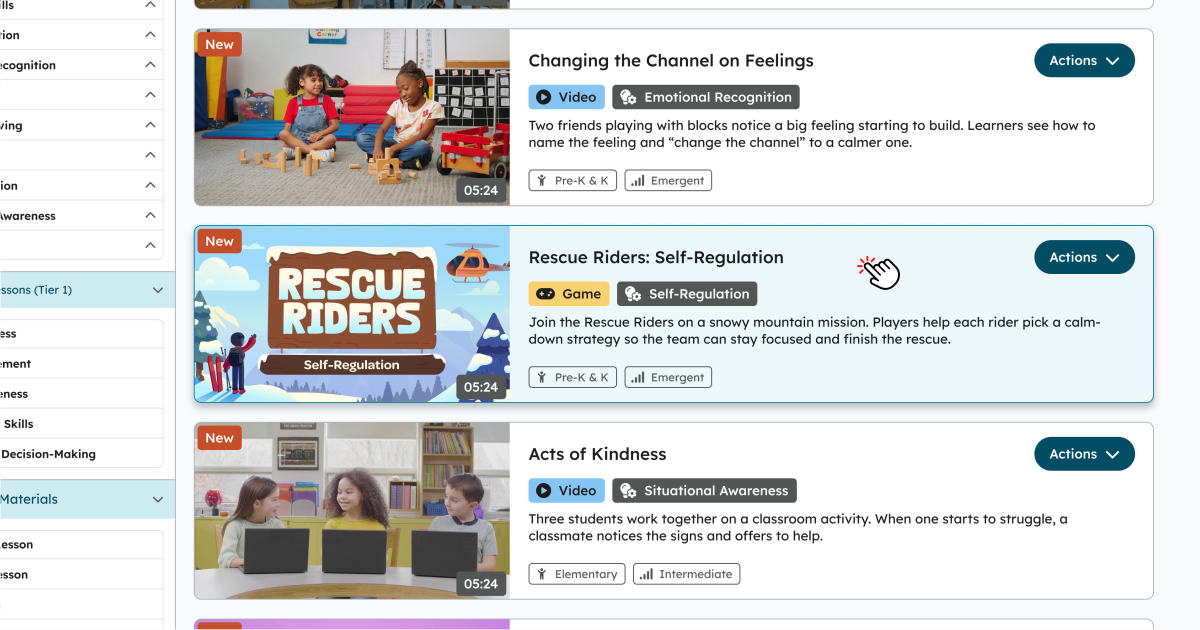
Everything that looks clickable now works, and pages load in seconds
Dead clicks happen when a design misleads people, like text styled as a link that goes nowhere. I removed that styling, gave real buttons clear shapes and targets, and replaced the endless list with pages.
Retrospective
Few things I learned
The goal was for educators to find the right material alone, in seconds. The real test is whether educators will still ask Customer Support for materials. Here's what I learned getting there.
Make bold changes feel familiar
Our founder wanted a small, safe update so no educator got lost. Building on familiar patterns educators already knew avoided confusion.
Ask users before copying big platforms
Information Architecture should be built on what your users say is most important.
Get the baseline before you start
I didn't count support requests for materials before launch, so what I would do next is work with the CX team to get the numbers.